Zoho Books Implementation: Complete Guide for Businesses in India
Managing accounting, invoicing, expenses, banking and GST compliance manually can become increasingly difficult as a business grows.
Spreadsheets and disconnected accounting systems may work initially, but they can create duplicate data, reporting delays and reconciliation challenges over time.
Zoho Books implementation provides businesses with a structured way to move their accounting operations to a centralized cloud-based platform. With the right setup, businesses can manage invoices, expenses, customers, vendors, banking, inventory, GST and financial reports from one system.
However, implementing accounting software is more than simply creating an account and entering company information. A successful implementation requires proper configuration, data migration, workflow setup, GST configuration, user permissions, integrations and employee training.
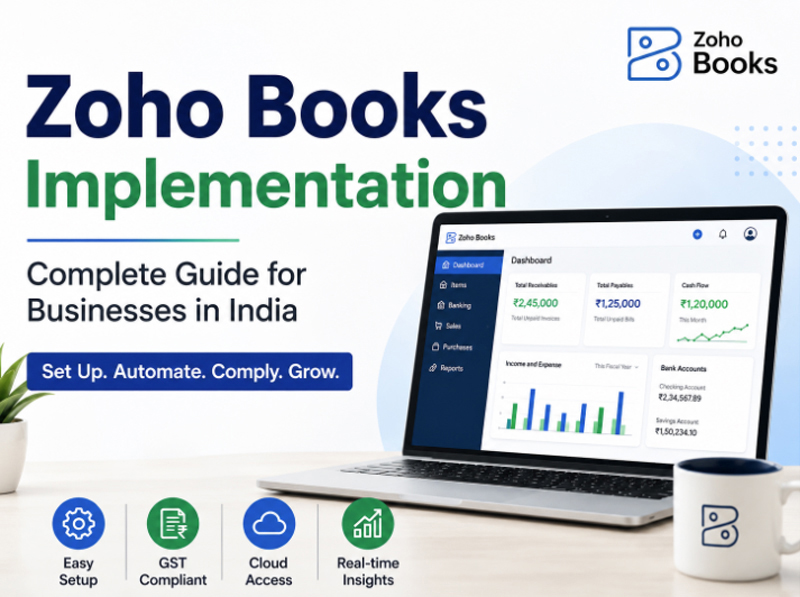
This guide explains the complete Zoho Books implementation process for businesses in India, including planning, setup, migration, GST configuration, customization, integrations, training and ongoing support.
What Is Zoho Books Implementation?
Zoho Books implementation is the process of configuring Zoho Books according to a company's accounting requirements, business processes and reporting needs.
A professional implementation typically includes:
- Company and organization setup
- Chart of accounts configuration
- Tax and GST configuration
- Customer and vendor setup
- Invoice and quotation configuration
- Expense management setup
- Bank account integration
- Bank reconciliation configuration
- Inventory configuration
- Financial report setup
- Data migration
- User roles and permissions
- Workflow automation
- Third-party integrations
- Employee training
- Testing and final deployment
- Ongoing technical support
The objective is to make Zoho Books work according to the way your business operates rather than forcing your existing processes into a standard configuration.
For businesses that need assistance with setup, migration and customization, working with a professional Zoho Books implementation partner can reduce configuration errors and make the transition easier.
Why Businesses in India Choose Zoho Books
Indian businesses have specific accounting and tax requirements. A modern accounting platform needs to support more than basic invoicing.
Zoho Books provides businesses with features for accounting, invoicing, expenses, banking, inventory and GST-related workflows.
1. Cloud-Based Accounting
Businesses can access financial information from supported devices without depending entirely on a local accounting installation.
This can be particularly useful for organizations with multiple locations, remote employees, accountants or business owners who need access to financial information while travelling.
2. GST Accounting
GST is an important part of accounting operations for Indian businesses. Proper configuration of GST rates, tax treatment, HSN/SAC information and invoices is therefore an important part of implementation.
A professional Zoho Books GST setup can help businesses configure their accounting environment according to their applicable tax requirements.
3. Automated Invoicing
Businesses can create professional invoices, quotations and recurring invoices while reducing repetitive manual work.
Invoice templates can also be configured according to the organization's branding and operational requirements.
4. Bank Reconciliation
Connecting bank accounts and establishing a proper reconciliation process can help accounting teams compare transactions and maintain accurate financial records.
5. Financial Reporting
Businesses can use accounting data to generate reports that help management understand revenue, expenses, receivables, payables and overall financial performance.
6. Business Integrations
Zoho Books can be connected with other business applications, allowing organizations to create a more connected business ecosystem.
Who Needs Zoho Books Implementation Services?
Not every company requires the same level of implementation.
A small service business may need only basic accounting, invoicing and GST configuration, while a growing trading or distribution company may require inventory, purchase orders, sales orders, automation and integrations.
Professional Zoho Books implementation services can be useful for:
- Startups
- Small businesses
- Medium-sized businesses
- Service companies
- Trading companies
- Distribution businesses
- E-commerce businesses
- Professional firms
- Agencies
- Manufacturing-related businesses
- Multi-user organizations
- Businesses migrating from other accounting software
If your business already has accounting data in another system, implementation becomes even more important because the quality of data migration can directly affect future reporting.
Step-by-Step Zoho Books Implementation Process
A structured implementation process helps businesses avoid common accounting and configuration problems.
Step 1: Understand the Business Requirements
The first step is to understand how the organization currently handles accounting.
This includes reviewing:
- Business type
- Products and services
- Sales process
- Purchase process
- Customer management
- Vendor management
- Tax requirements
- Banking process
- Inventory requirements
- Existing accounting software
- Reporting requirements
- Number of users
- Approval processes
- Required integrations
This assessment helps determine which Zoho Books features and configurations are required.
Step 2: Create and Configure the Organization
The next stage involves creating the organization and entering the required business information.
Depending on the business, this can include:
- Business name
- Address
- Contact details
- Financial year
- Base currency
- Tax information
- Invoice preferences
- Regional settings
- Email configuration
Correct initial configuration provides a foundation for the remaining implementation.
Step 3: Configure the Chart of Accounts
The chart of accounts is one of the most important parts of an accounting system.
It determines how transactions are classified and how financial reports are generated.
During implementation, the existing chart of accounts should be reviewed and mapped appropriately.
- Assets
- Liabilities
- Equity
- Income
- Cost of goods sold
- Operating expenses
- Other income
- Other expenses
Other expenses Businesses migrating from another accounting platform should pay particular attention to account mapping.
Step 4: Configure GST and Tax Settings
For Indian businesses, GST configuration is an essential part of implementation.
The implementation process may include reviewing:
- GST registration details
- GST treatment
- Tax rates
- HSN codes
- SAC codes
- Tax-inclusive and tax-exclusive pricing
- GST invoice requirements
- Place of supply
- Customer tax information
- Vendor tax information
- Applicable transaction types
A properly configured Zoho Books GST setup can help maintain consistency in invoices and accounting records.
Businesses should always verify their tax configuration with their qualified tax or accounting professional because tax requirements can vary depending on the business and transaction.
Step 5: Configure Customers and Vendors
Customer and vendor information can then be organized within Zoho Books.
Important information may include:
- Business name
- Contact information
- GSTIN
- Billing address
- Shipping address
- Payment terms
- Credit limits
- Tax treatment
- Outstanding balances
Standardizing this information can improve invoicing and reporting accuracy.
Step 6: Configure Products and Services
If the business sells products, inventory and item configuration may be required. For service businesses, implementation may focus more on services, billing rates and recurring invoices.
Products can be organized using appropriate:
- Item names
- SKU
- Sales rates
- Purchase rates
- Units
- Tax rates
- HSN codes
- Inventory accounts
This configuration should be planned carefully before importing large amounts of data.
Step 7: Customize Invoices and Documents
Businesses often want their invoices and other documents to reflect their brand.
Templates can be reviewed and customized for:
- Estimates
- Invoices
- Credit notes
- Purchase orders
- Sales orders
- Payment receipts
- Delivery-related documents
Customization can include company branding, logos, contact details, payment instructions and other relevant information.
Step 8: Connect Bank Accounts
Bank integration can reduce manual transaction entry and support a more efficient reconciliation process.
During implementation, accounting teams should establish a clear process for:
.- Importing or synchronizing transactions
- Categorizing transactions
- Matching payments
- Reviewing discrepancies
- Reconciling bank accounts
This process should be tested before the system becomes the primary accounting platform.
Step 9: Migrate Existing Accounting Data
Data migration is one of the most important stages when moving from another accounting system.
Businesses may need to migrate:
- Customers
- Vendors
- Products
- Chart of accounts
- Opening balances
- Invoices
- Bills
- Credit notes
- Payments
- Outstanding receivables
- Outstanding payables
- Inventory information
Zoho Books Migration from Tally
Businesses moving from Tally or another accounting platform should first identify what data needs to be transferred and how that data should be mapped into Zoho Books.
A typical migration process includes:
Before migration, duplicate and outdated records should be reviewed. After migration, opening balances and outstanding transactions should be verified against the previous accounting system.
This makes Zoho Books migration more reliable and reduces the possibility of incorrect financial reporting.
Step 10: Configure User Roles and Permissions
Different employees should not necessarily have access to every accounting function. User permissions can be planned according to responsibilities.
For example:
- Business owner
- Accountant
- Finance manager
- Sales team
- Purchase team
- Inventory team
- Administrator
A well-planned permission structure can improve data security and prevent unauthorized changes.
Step 11: Set Up Automation and Workflows
Automation can reduce repetitive administrative work.
Depending on business requirements, organizations may configure workflows for:
- Invoice reminders
- Payment reminders
- Approval processes
- Notifications
- Recurring transactions
- Customer communication
- Internal approvals
The objective should not be to automate everything. Instead, businesses should identify repetitive processes where automation can provide measurable benefits.
Step 12: Integrate Other Business Applications
Many organizations use multiple applications to manage their operations.
Zoho Books can be part of a broader business ecosystem involving applications such as:
- Zoho CRM
- Zoho Inventory
- E-commerce platforms
- Payment gateways
- Payroll systems
- Other business applications
For businesses requiring advanced connectivity, Zoho Books API integration can also be considered.
The integration strategy should be designed around the actual flow of business data.
Connecting the right systems can reduce duplicate data entry and improve operational visibility.
Step 13: Testing and Validation
Before going live, the implementation should be tested.
Important areas to verify include:
- GST calculations
- Invoice generation
- Customer balances
- Vendor balances
- Opening balances
- Inventory quantities
- Bank transactions
- Payment recording
- Financial reports
- User permissions
- Automated workflows
- Integrations
Testing is particularly important after data migration because errors can sometimes remain hidden until reports are generated.
Step 14: Employee Training
Even a correctly configured accounting system can fail to deliver results if employees do not know how to use it properly.
Training may cover:
- Creating customers
- Creating invoices
- Recording expenses
- Managing bills
- Recording payments
- Bank reconciliation
- GST-related workflows
- Generating reports
- Managing inventory
- Handling approvals
Training should be practical and based on the organization's actual accounting workflow.
Benefits of Professional Zoho Books Implementation
Choosing professional implementation support can provide several advantages.
Faster Setup
A structured implementation process can reduce the time required to configure the system.
Better Data Migration
Experienced implementation teams can help identify mapping and data-quality issues before importing information.
Customized Workflows
Businesses can configure workflows around their actual processes instead of relying only on default settings.
Reduced Errors
Proper testing and validation can help identify accounting and configuration problems early.
Employee Adoption
Training can make it easier for employees to adopt the new system.
Ongoing Support
A Zoho Books consultant can provide assistance when the business needs additional configuration, troubleshooting, integrations or workflow changes.
Common Mistakes During Zoho Books Implementation
Businesses should avoid implementing accounting software without adequate planning.
1. Migrating Unclean Data
Importing duplicate or outdated records can create problems later.
2. Ignoring Opening Balances
Opening balances should be carefully checked against the previous accounting system.
3. Incorrect GST Configuration
Tax settings should be reviewed carefully before issuing live invoices.
4. Giving Excessive User Access
Users should receive only the permissions required for their responsibilities.
5. Skipping Testing
Going live without testing invoices, reports, balances and workflows can create avoidable issues.
6. Not Training Employees
Employees need practical training before the system becomes part of their daily workflow.
7. Over-Customizing the System
Customization should solve a genuine business requirement. Unnecessary complexity can make the system harder to maintain.
How to Choose a Zoho Books Implementation Partner
Selecting the right Zoho Books implementation partner is an important decision.
Before choosing a service provider, consider:
Experience
Check whether the provider has experience implementing accounting solutions for businesses similar to yours.
Migration Capability
If you are moving from Tally, spreadsheets or another accounting system, ask about their data migration process.
GST Knowledge
For Indian businesses, the implementation team should understand the importance of GST-related configuration and workflows.
Customization
Ask whether the provider can configure workflows, reports and integrations according to your requirements.
Training and Support
Implementation should not end immediately after configuration. Training and post-implementation support can be equally important.
Integration Experience
If your business uses CRM, inventory, e-commerce or payment applications, confirm that the implementation provider can handle the required integrations.
Businesses looking for professional assistance can explore Zoho Books implementation services from AgaramSoft.
Zoho Books Implementation Checklist
Before going live, businesses can use this checklist:
- Business information configured
- Financial year configured
- Chart of accounts reviewed
- GST settings configured
- HSN/SAC information reviewed
- Customers imported
- Vendors imported
- Products and services configured
- Opening balances verified
- Outstanding invoices verified
- Outstanding bills verified
- Bank accounts configured
- Invoice templates customized
- User roles configured
- Workflows tested
- Integrations tested
- Financial reports validated
- Employees trained
- Final data reconciliation completed
- Go-live process approved
Frequently Asked Questions
How long does Zoho Books implementation take?
The timeline depends on the size and complexity of the business. A basic setup can be relatively quick, while businesses requiring migration, inventory, customization, integrations and multiple users may require more implementation time.
Is Zoho Books suitable for Indian businesses?
Yes. Zoho Books provides accounting and GST-related capabilities designed for businesses operating in India. The exact configuration should depend on the company's accounting and tax requirements.
Can I migrate from Tally to Zoho Books?
Yes, businesses can plan a migration from Tally to Zoho Books. The process should include data review, mapping, migration, validation and reconciliation.
Do I need a Zoho Books consultant?
Not every business needs external assistance. However, a Zoho Books consultant can be useful when the implementation involves migration, GST configuration, customization, integrations, multiple users or complex accounting workflows.
Can Zoho Books be customized?
Yes. Depending on the requirement, businesses can configure workflows, templates, automation, reports and integrations to better match their processes.
Can Zoho Books integrate with other applications?
Yes. Zoho Books can be connected with other business applications, including applications within the Zoho ecosystem and supported third-party platforms.
Can Zoho Books manage GST invoices?
Zoho Books supports GST-related invoicing and accounting workflows for Indian businesses. Businesses should configure their tax settings correctly based on their applicable requirements.
Is data migration necessary when starting Zoho Books?
If the business is moving from another accounting system, migration may be necessary. The required data depends on whether the business needs historical records, opening balances, outstanding transactions, customers, vendors, products or other information.
How much does Zoho Books implementation cost?
Implementation cost depends on factors such as business size, number of users, migration requirements, customization, integrations and training. Software subscription fees and professional implementation fees should be considered separately.
Does AgaramSoft provide Zoho Books implementation services?
Yes. AgaramSoft provides Zoho Books-related implementation, setup, customization, migration, integration and support services for businesses.
Conclusion
A successful Zoho Books implementation is not simply about activating an accounting software account. It involves understanding the business, configuring accounting and GST requirements, migrating reliable data, establishing workflows, connecting applications, testing the system and training users.
For Indian businesses, careful implementation can provide a more structured approach to invoicing, expenses, banking, GST accounting, financial reporting and day-to-day financial management.
Whether you are starting a new accounting system or moving from Tally or another platform, a properly planned implementation can make the transition smoother and help your team get more value from Zoho Books.
Need Help With Zoho Books Implementation?
If your business needs help with Zoho Books setup, migration, GST configuration, customization, integration or ongoing support, consider working with an experienced Zoho Books implementation partner.
Talk to Our Zoho Books Experts